
Your Office in Your Pocket
Invoice from the jobsite. Log your hours. Send proposals. Access job details. The ProTrades mobile app gives field workers and owners the tools they need — simple, fast, and always with you.
Everything You Need in the Field
The mobile app isn't a stripped-down version — it's built for real work in the field.
Quick Invoicing
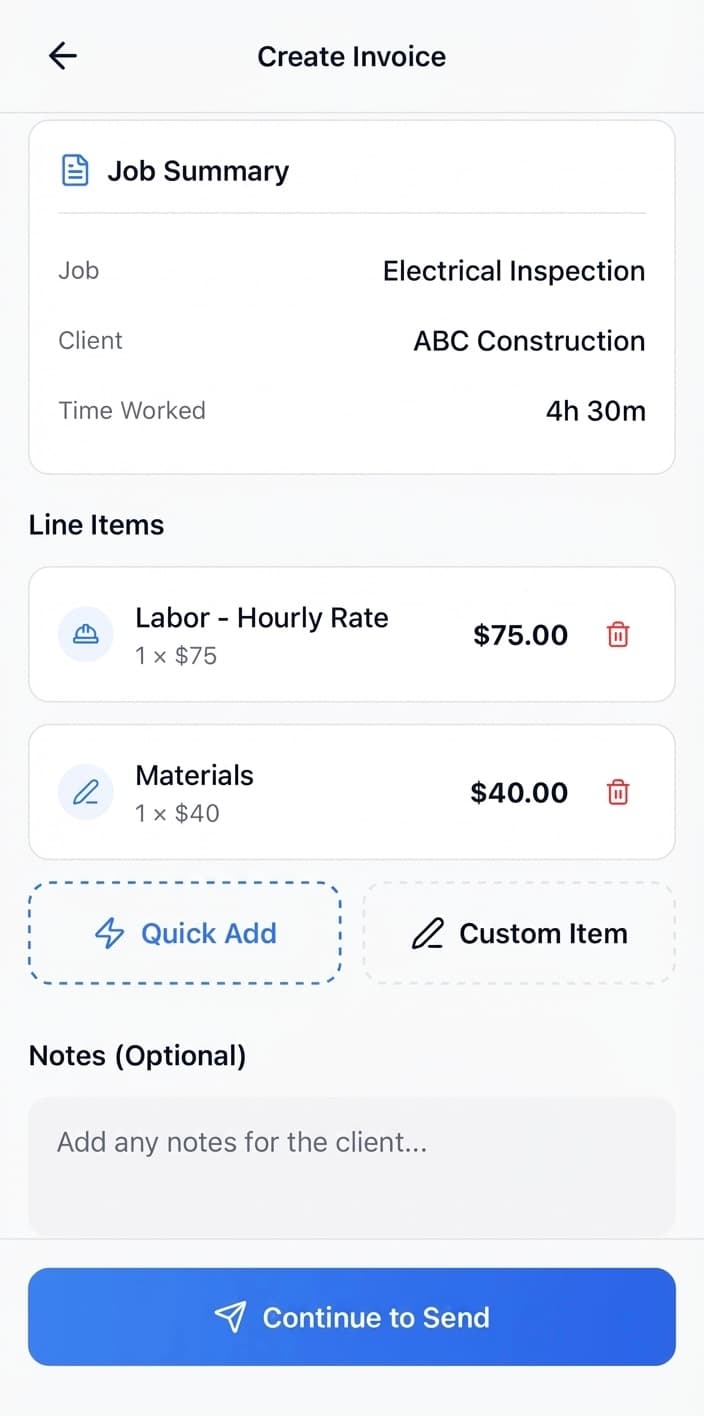
Create invoices using preset items or add custom ones. Send by email instantly — invoice before you leave the site.
Proposals
Create new proposals using company-wide templates. All your exclusions, qualifications, and assumptions ready to use.
Start/Stop Time Tracking
Start a job, work, stop when done. Hours are logged and uploaded for admin to review and approve for payroll.
Schedule Access
View your schedule with all job details. Know where you're going and what you're doing.
Create Jobs & Clients
Add new jobs and clients right from your phone. No waiting until you're back at the office.
Photos & Notes
Upload photos to jobs and leave notes. Document your work as you go.
Timecard Management
View and modify timecards. See your logged hours and make corrections as needed.
Instant Email Send
Send invoices and proposals by email instantly. One tap and it's delivered.
Push Notifications
Get notified of schedule changes and important updates. Stay in the loop.
Time Tracking That Works for Everyone
Workers log hours in the field. Admins review and approve. Everyone's on the same page.
Workers Start & Stop Jobs
Tap to start when you arrive, tap to stop when you're done. Hours are captured automatically.
Hours Upload Automatically
Logged hours are uploaded for admin and accounting to review — no manual entry.
Accept/Deny for Payroll
Admin reviews submitted hours, approves or requests changes, and processes for payroll.
Current Job
Johnson Kitchen Remodel
123 Main St, San Francisco
Time Logged Today
4:32:15
Quick Invoice
Invoice Before You Leave
Admins set up default invoice items that workers can select from. Add custom items when needed. Send by email with one tap.
Preset Items
Admins configure default items for fast selection
Custom Items
Add custom line items when the job requires it
Instant Delivery
Send to customer's email immediately
Why Contractors Love the Mobile App
Here's what we hear from contractors who use ProTrades mobile
Simple
Easy to learn, easy to use. Your team will actually adopt it because it doesn't get in the way of work.
Fast
Quick invoicing, fast time tracking, instant sends. Get things done without delays.
Useful
Real features for real field work. Not a stripped-down afterthought — built for the field.
Frequently Asked Questions
What can I do on the ProTrades mobile app?
Create quick invoices, send proposals, log hours, view your schedule, create jobs and clients, upload photos, leave job notes, and manage timecards. Almost everything you need in the field.
What platforms is the app available on?
The ProTrades mobile app is currently available on iOS. Download it from the App Store.
How does quick invoicing work on mobile?
Admins can set up default quick invoice items that workers select from. You can also add custom items. Create an invoice and send it by email instantly — all from your phone.
Can I track my hours on mobile?
Yes. Start and stop jobs to log your hours. Your time is uploaded for admin and accounting to review, approve, and process for payroll.
Can I create proposals on mobile?
Yes. Create new proposals using company-wide template exclusions, qualifications, and assumptions. Send them by email instantly from your phone.
Do I get notifications?
Yes. Push notifications keep you updated on schedule changes and other important updates.

Ready to Work from Anywhere?
Start your free 90-day pilot and see how the ProTrades mobile app keeps your field team connected and productive.
No credit card required · Cancel anytime · Built by a tradesman